You can customise your tipping page to make the tipping experience feel more personal for your client or customer.
To customise your tipping page, please follow these steps:
1. Log in to your account
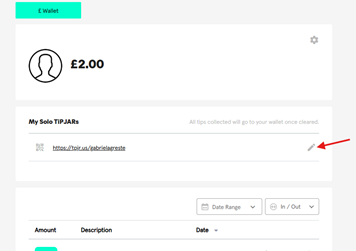
2. Click on the pencil icon under 'My Solo TiPJAR's'
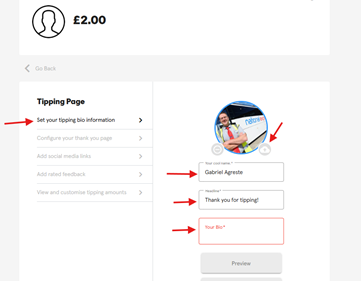
3. Customise your tipping page as you'd like and remember to save the change.
Was this article helpful?
That’s Great!
Thank you for your feedback
Sorry! We couldn't be helpful
Thank you for your feedback
Feedback sent
We appreciate your effort and will try to fix the article