You can easily access your QR code directly from your TiPJAR account.
1. Log in to your account via the TiPJAR website or mobile app.
2. Under ‘My Solo TiPJARs’ click the QR code icon.
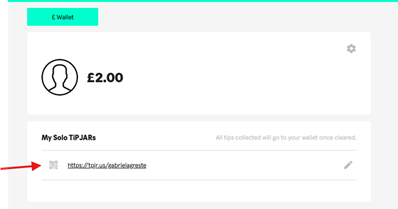
3. Your unique QR code will appear, as well as the link to your tipping page. You can download the QR code to your device to print it. This can then be displayed for your customers or clients to scan.
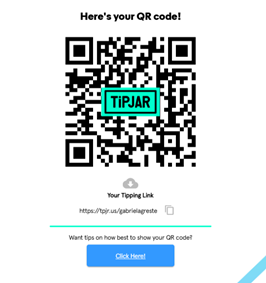
Tip: We recommend printing and placing your QR code somewhere visible, such as your counter, table, or work area, to make tipping quick and easy.
Was this article helpful?
That’s Great!
Thank you for your feedback
Sorry! We couldn't be helpful
Thank you for your feedback
Feedback sent
We appreciate your effort and will try to fix the article