On your tipping page, you are also able to customise the preset tip value.
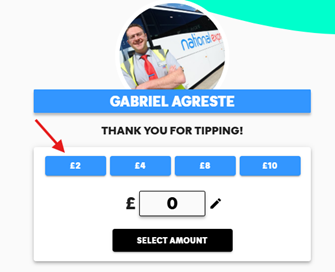
To customise the values, please follow these steps:
1. Log in to your account
2. Click on the pencil icon under 'My Solo TiPJAR's'
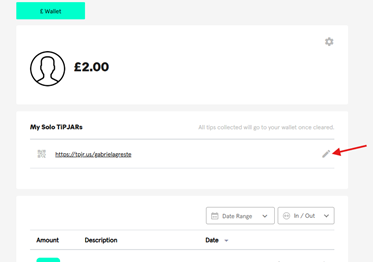
3. Click ‘View and customise tipping amounts’
4. ‘Enable custom tipping amounts’ by turning on the toggle.
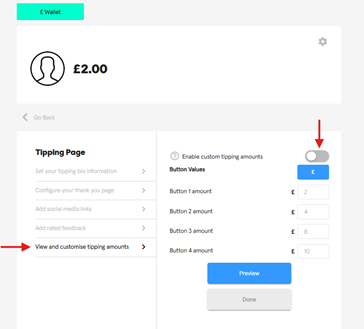
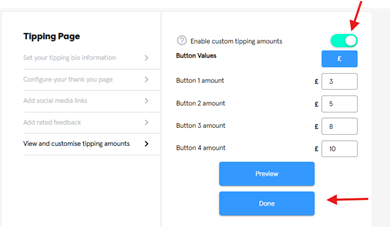
5. You should then be able to set the values to your preferred values. Remember to save the changes!
Was this article helpful?
That’s Great!
Thank you for your feedback
Sorry! We couldn't be helpful
Thank you for your feedback
Feedback sent
We appreciate your effort and will try to fix the article