You can link your social media to your TiPJAR account, which will be visible to your customer or client after they’ve tipped you.
To link your social media, you can follow these steps:
1. Log in to your account
2. Click on the pencil icon under 'My Solo TiPJAR's'
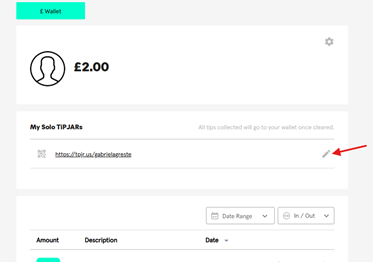
3. Click ‘Add Social media links’ and enable the toggle
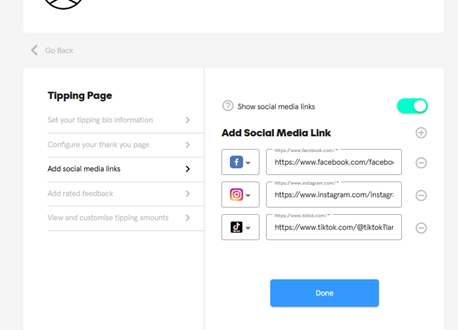
4. You can link a maximum of three accounts and a minimum of one account. There is a drop-down where you can select the platform of your choice to link.
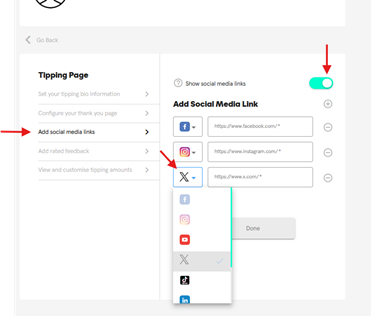
5. Once you have done this, please save this by clicking ‘Done’
Was this article helpful?
That’s Great!
Thank you for your feedback
Sorry! We couldn't be helpful
Thank you for your feedback
Feedback sent
We appreciate your effort and will try to fix the article