To set your communication preferences, please follow these steps:
1. Log in to your TiPJAR account.
2. Click on the Settings cog in the top right corner.
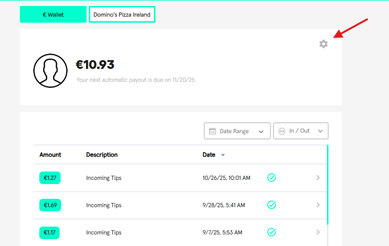
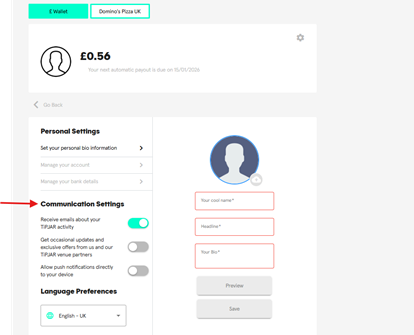
3. You should then see ‘Communication Settings’ and the option to turn toggles on and off as per your preference.
Was this article helpful?
That’s Great!
Thank you for your feedback
Sorry! We couldn't be helpful
Thank you for your feedback
Feedback sent
We appreciate your effort and will try to fix the article